 Code
CodeTransform Raw Code Into
a Readable Workspace
CodePrettify automatically formats, validates, and highlights raw JavaScript, JSON, CSS, and RSS/Atom files the moment you open them. Get an IDE-like experience directly in your browser.
📄 Supported Code Formats
🌐 14 Interface Languages
📺 See It In Action
Everything You Need
From smart automation to powerful debugging tools—CodePrettify has you covered.
Smart Automation
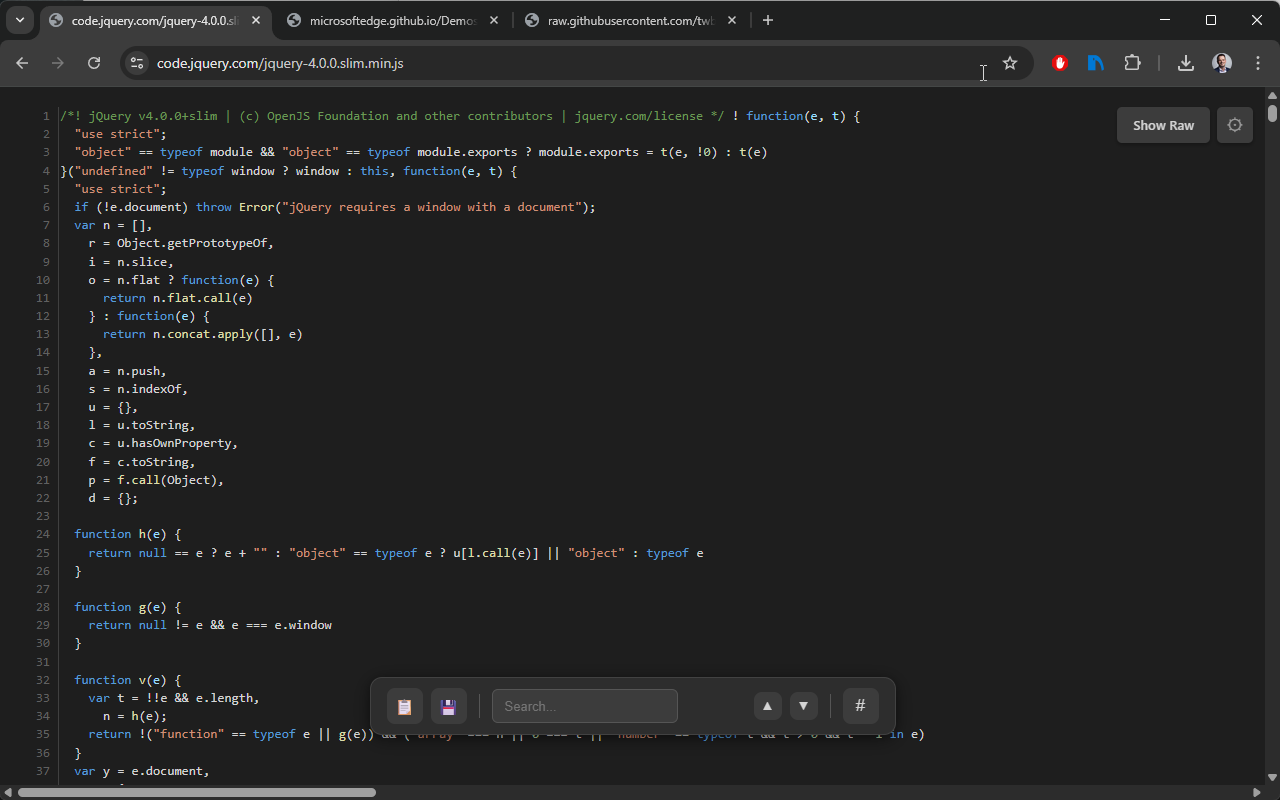
No clicking required. CodePrettify works automatically the moment you open a file.
- Supports JS, JSON, CSS, and RSS/Atom files
- Intelligent minification detection—analyzes code density before formatting
- Works on web URLs and local files (
file://) - Zero-flash loading prevents raw text from appearing
Syntax Validation
Don't just read code—debug it. Instant feedback with error details.
- JSON: Detects syntax errors with exact line numbers
- JavaScript: Identifies mismatched braces and typos
- CSS: Validates structural integrity
- Non-intrusive toast notifications for errors
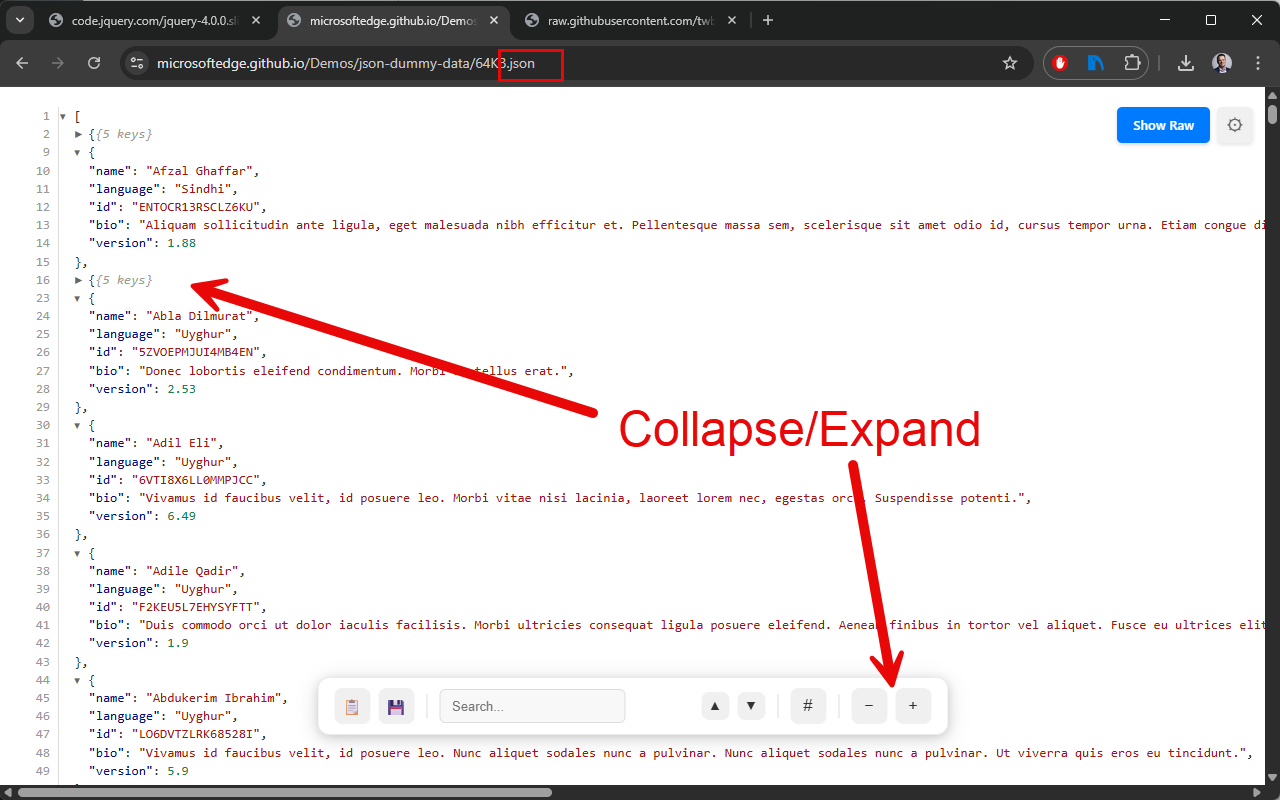
Interactive JSON Viewer
Navigate massive datasets with ease using our advanced JSON tools.
- Collapsible arrays and objects for easy navigation
- Smart previews:
Array(5)or{3 keys} - URLs automatically become clickable links
- Expand/Collapse All buttons for massive files
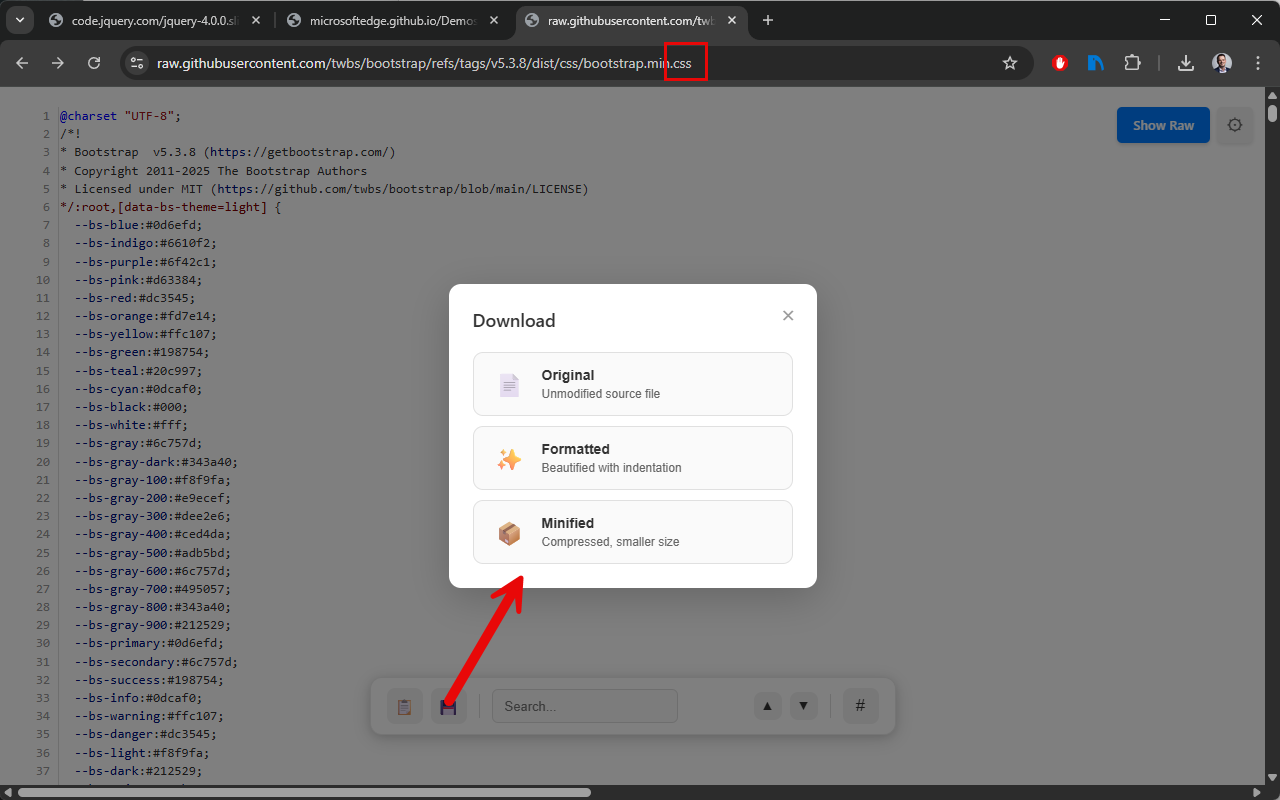
Powerful Toolkit
Professional tools for working with code files efficiently.
- Advanced search with result counting and navigation
- Go to Line—jump to specific lines instantly
- Export as Original, Formatted, or Minified
- Works on huge files where browser search fails
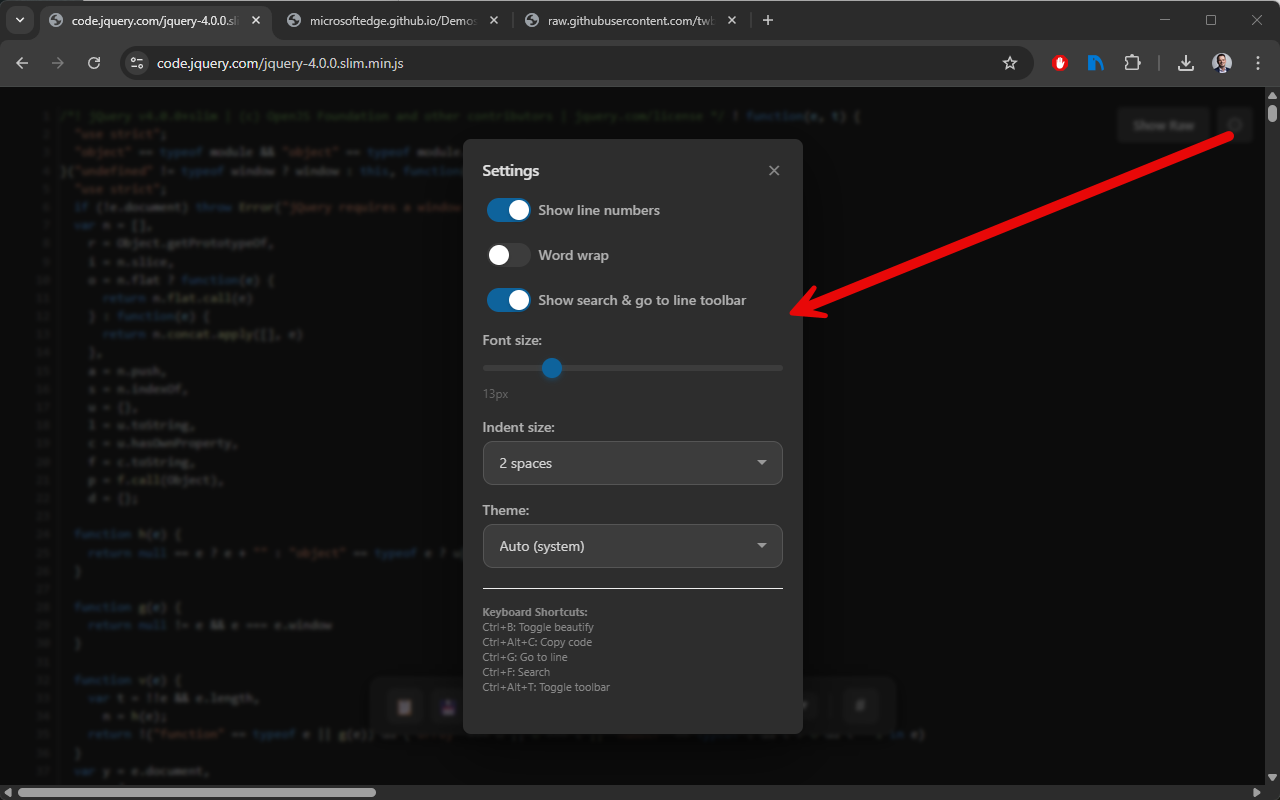
Fully Customizable
Tailor your experience to match your preferences.
- Themes: Light, Dark, or Auto (syncs with system)
- Adjustable font size (10-24px)
- Indentation options (2 or 4 spaces)
- Toggle line numbers on/off
100% Privacy First
Your code stays on your machine. Always.
- Everything runs client-side in your browser
- No servers, no tracking, no API calls
- No data collection whatsoever
- Open source and transparent
⌨️ Keyboard Shortcuts
Master CodePrettify with these quick commands
Note for Local Files
To use CodePrettify with local files (e.g., file:///C:/code/data.json), you must enable "Allow access to file URLs" in Chrome's extension management page (chrome://extensions).